Mentoring projects on Talent Grove
A step-by-step guide: set up a college, a program, cohorts and teams on Talent Grove, then guide students through their projects. Students run their projects, mentors guide them in their own time, and the college assesses and certifies.
എഴുതിയത്: Talent Grove
This post explains how managing and mentoring projects works on Talent Grove, from setting up an organisation to the finished project, and shows the features along the way. To keep it concrete, it uses GEC, a college, as the example: student project teams that each have a faculty guide, plus mentors who may live abroad. When it is evening in Toronto or Dubai it is the middle of the night in Kerala, so a fixed weekly call is hard to keep up for a whole project. Working asynchronously helps.
The idea in short: the students run their project. Mentors guide them, whenever and however often suits them. The college assesses the work and issues the certificates. Talent Grove is the shared place where the plan, the work and the conversations live. Nothing here is a rule: every team, mentor and faculty guide can shape it to fit.
Every screenshot is from the real app, running a demo copy called "GEC (demo)" with made-up students and mentors. (Two screens were staged in the demo copy because Google Meet and the AI service are not connected to it: the meeting card and the AI buddy's reply.)
The example project: IoT water-quality monitor. Four students build a low-cost sensor that measures pH, turbidity and temperature in a village well and shows the readings on a phone dashboard. The team calls itself AquaSense. It has one overseas mentor and one GEC faculty guide.
Who does what
| Person | On Talent Grove | Their part |
|---|---|---|
| Students | Student | Own and run the project: they plan, build, test and share their work |
| Overseas mentor | Mentor on the team | Guides: asks questions, shares experience, points the way when the team is stuck |
| GEC faculty guide | Mentor on the team, and an evaluator at review time | Guides from the college side and assesses the work against GEC's criteria |
| GEC project coordinator | Org admin | Sets things up: the program, the projects, the teams and the people |
Part A: setting things up
The college as an organisation
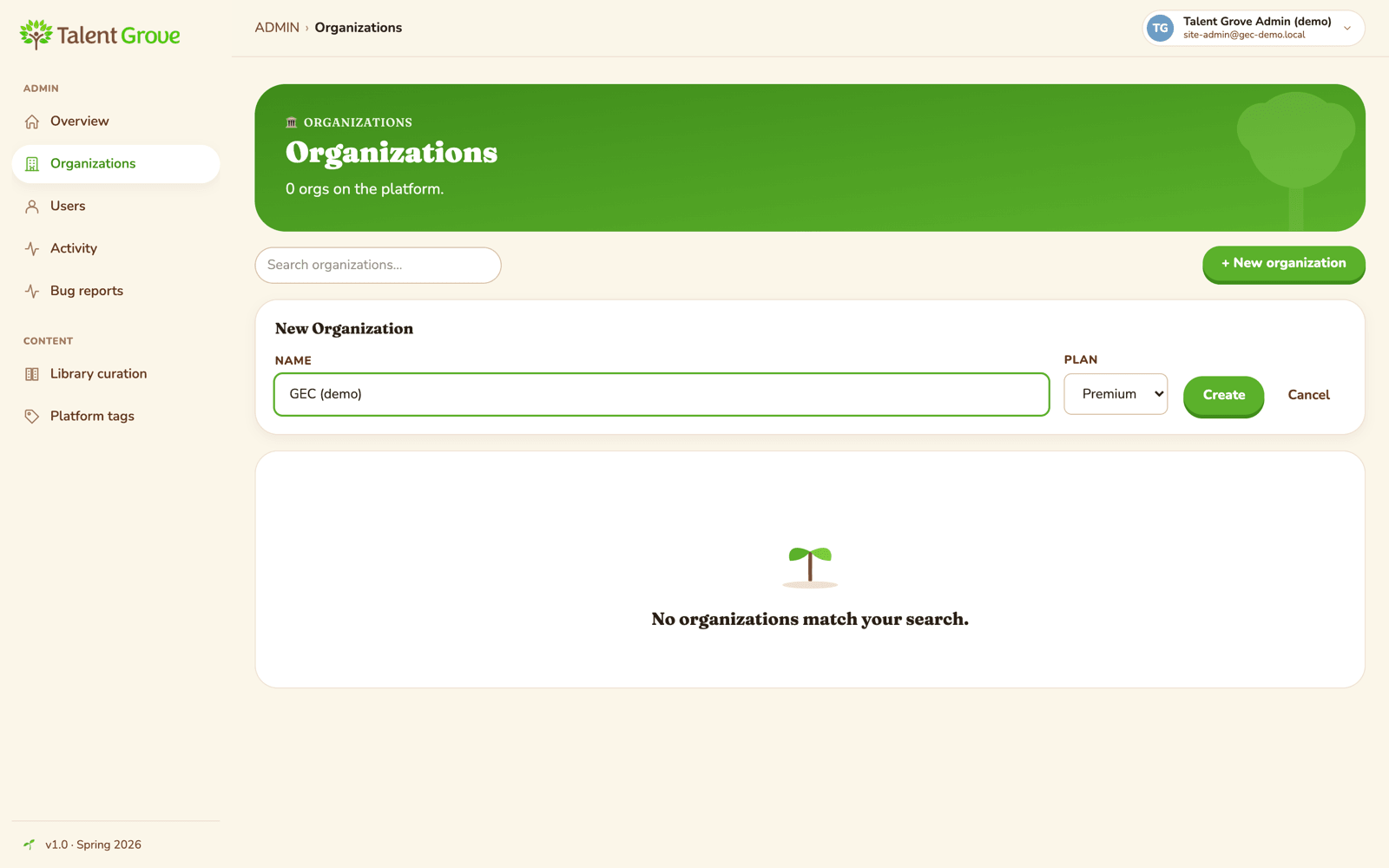
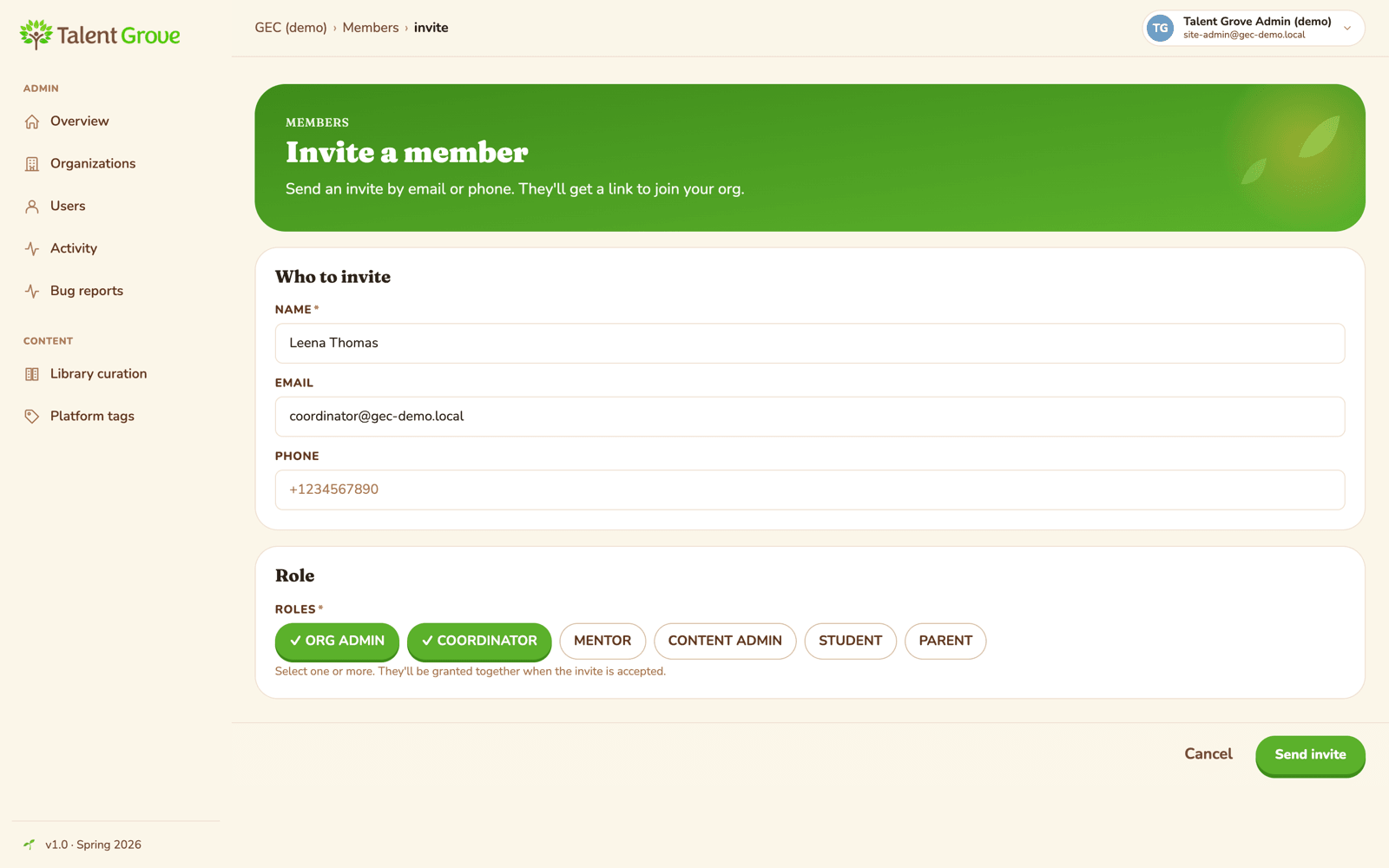
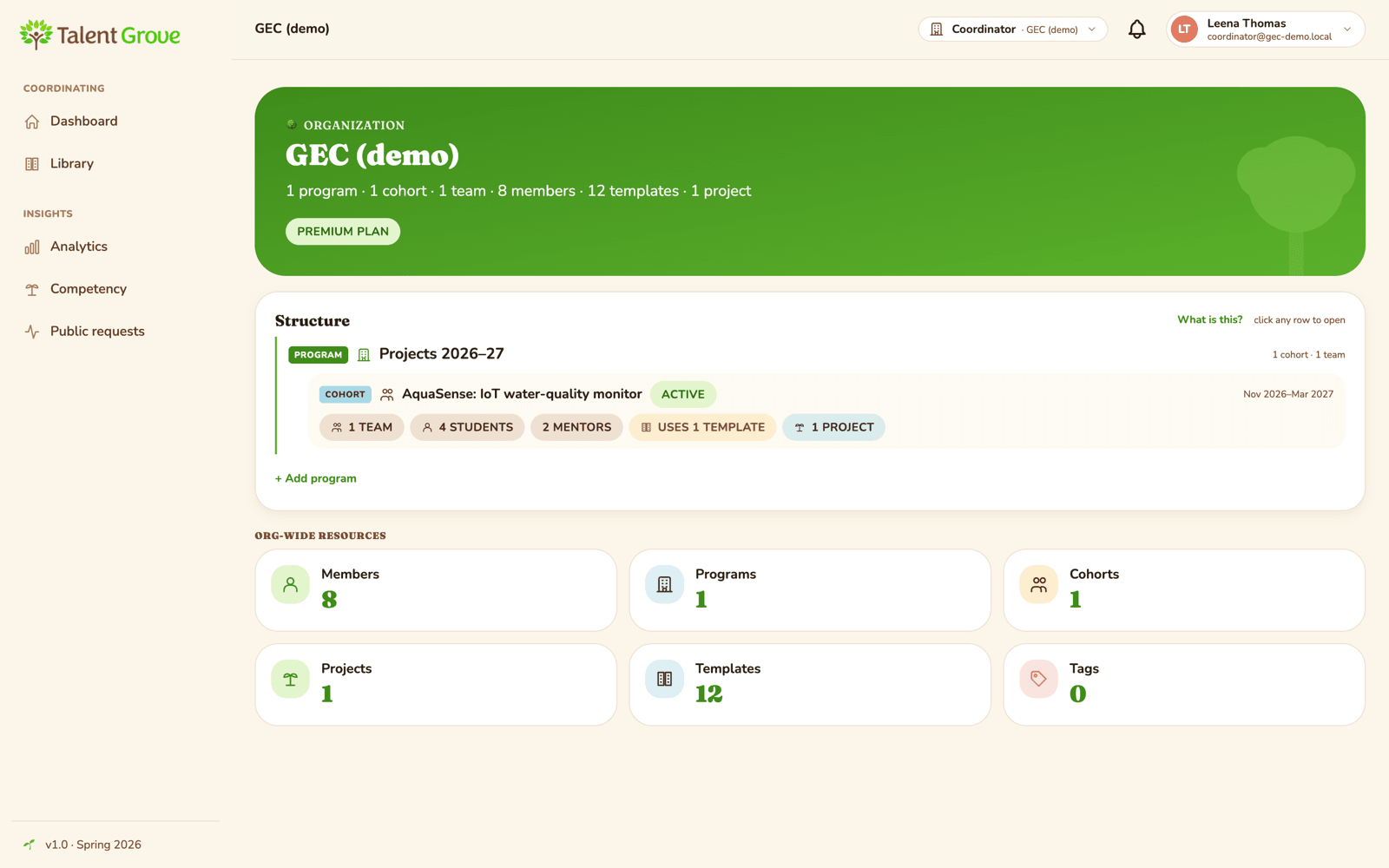
Talent Grove creates GEC as an organisation and invites the college's project coordinator as its org admin and coordinator. Everything for GEC lives inside this organisation (its programs, projects and people) and is kept separate from every other school or college on the platform.
A program for a set of projects
The coordinator starts a program to hold a set of projects, for example Projects 2026–27, so each batch stays together.
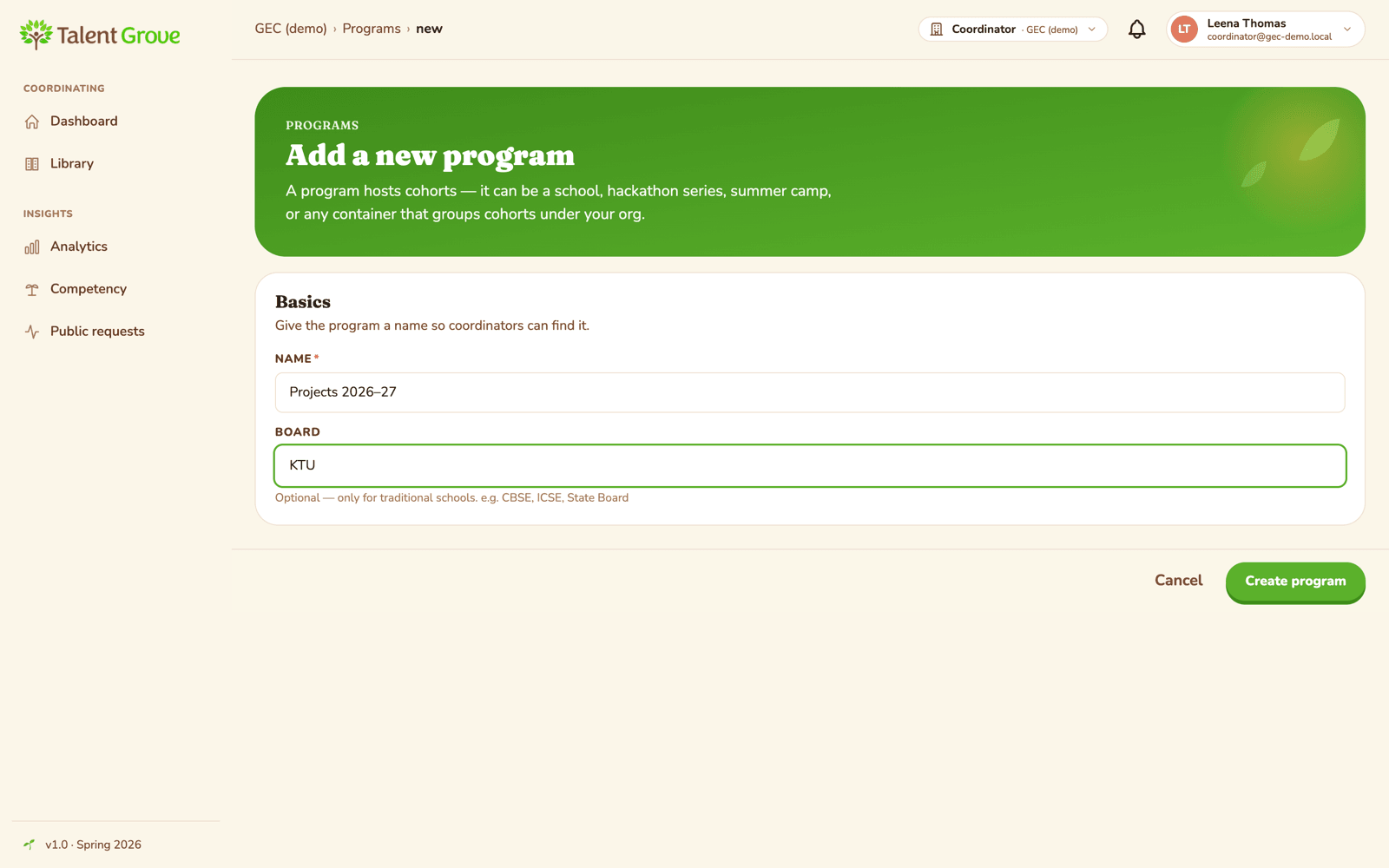
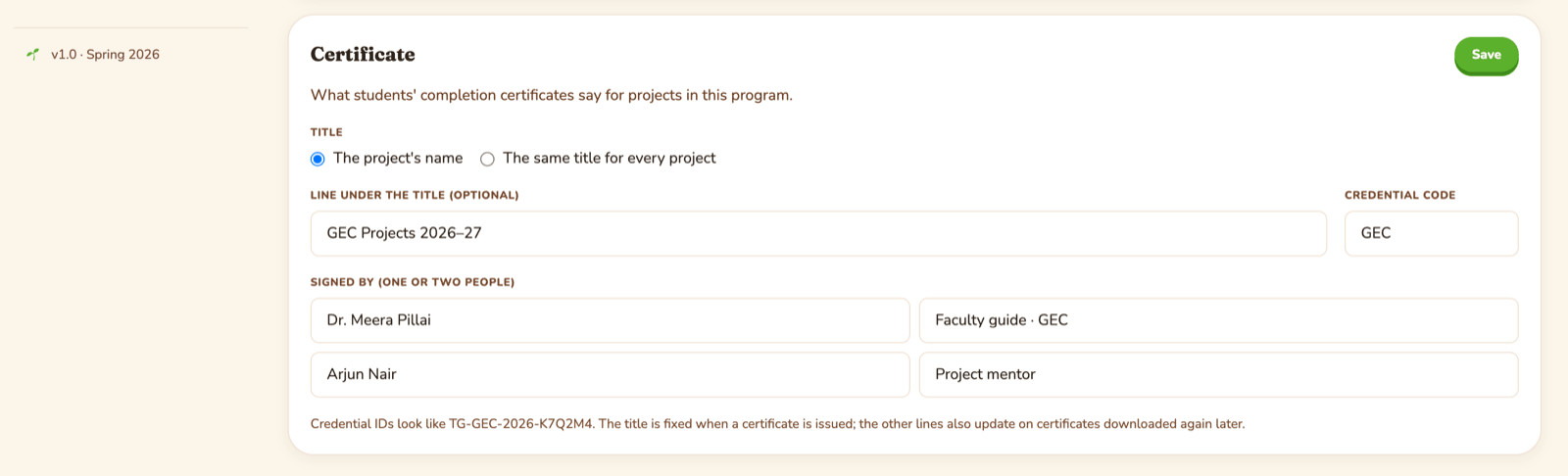
The program is also where GEC decides what its certificates say: GEC's program line (such as GEC Projects 2026–27), a credential code, and one or two GEC signatories. The certificate's title is each project's own name.
Every team has its own project
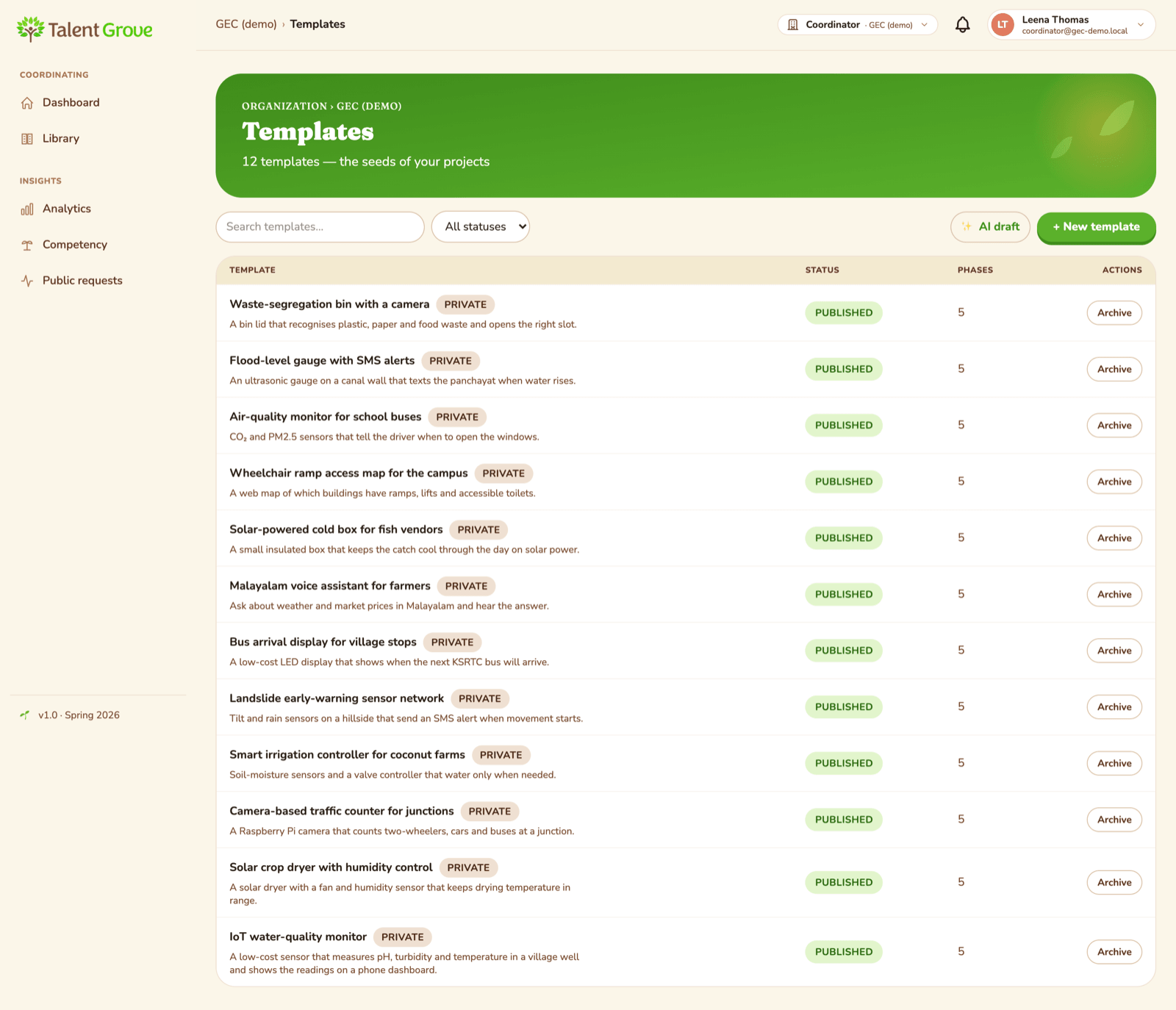
The AquaSense team builds a water monitor; another team builds a solar crop dryer; a third builds a traffic counter. Each project gets its own plan on Talent Grove, written with the team's mentor: the problem, the stages of the work and what the team expects to produce along the way. Talent Grove helps the college set these up.
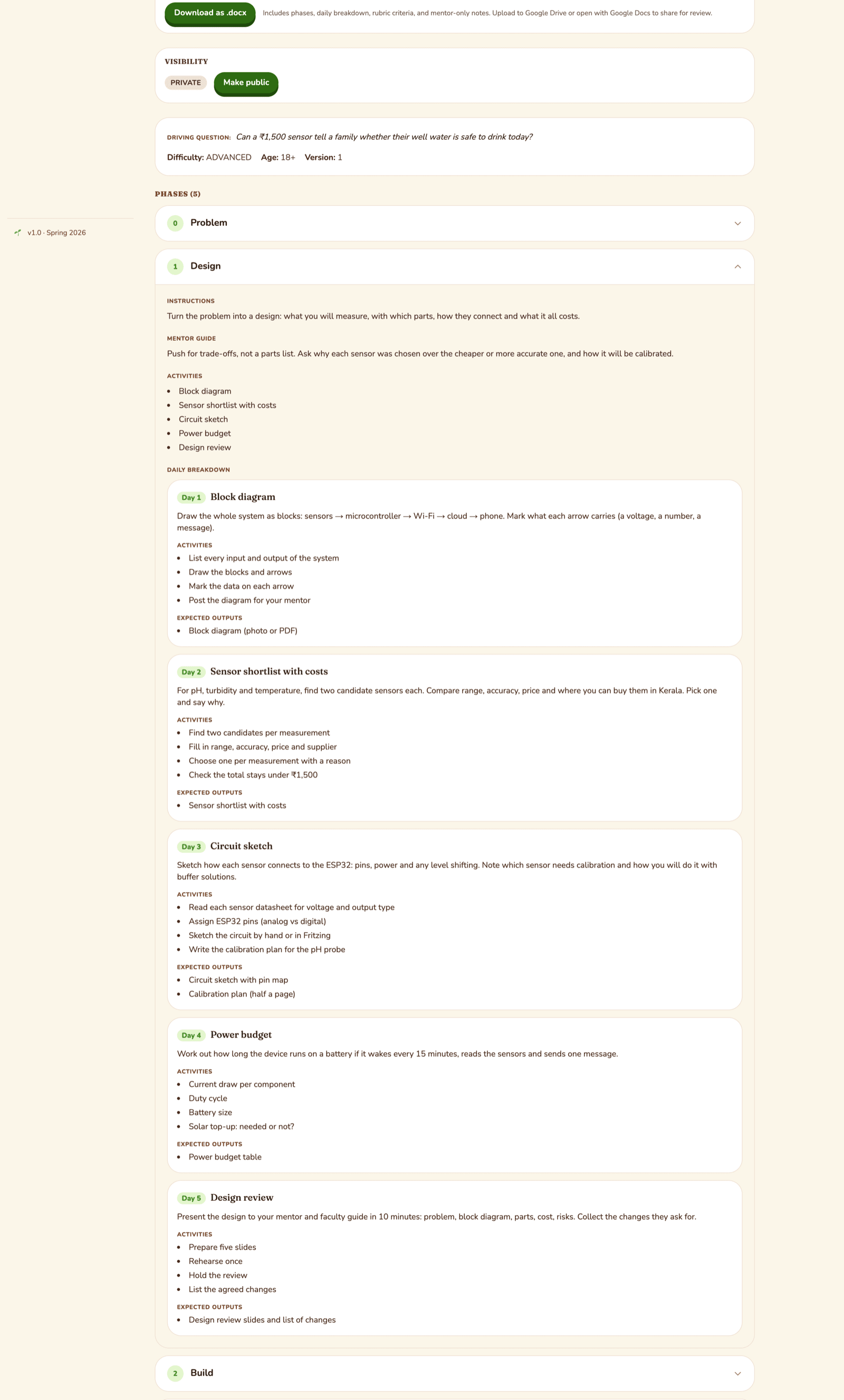
A plan can be as detailed or as loose as the team likes. For AquaSense it might look like this:
| Stage | Roughly | What the team might share |
|---|---|---|
| Problem | first weeks | A field visit note, a problem statement |
| Design | next few weeks | A block diagram, a sensor shortlist, a circuit sketch |
| Build | the middle of the project | A working prototype, the code repo, photos |
| Test | later | A test log, what they fixed |
| Demo | the end | A demo video, the report, the presentation |
Each stage can be broken into smaller steps (daily, weekly or whatever rhythm the team works in), each with a short checklist. Mentors also get private notes for each stage: what good work looks like and useful questions to ask.
A cohort, people and a team
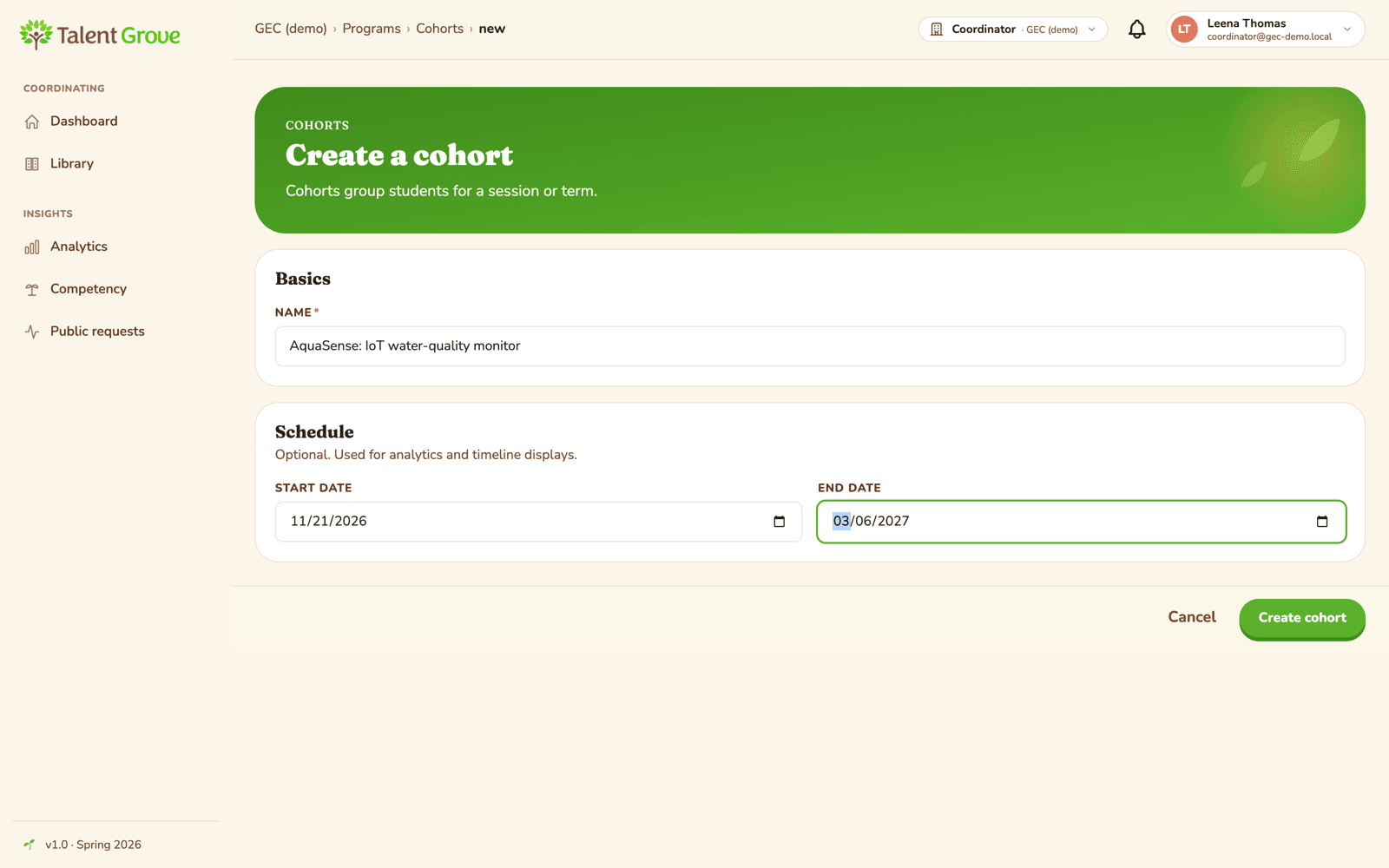
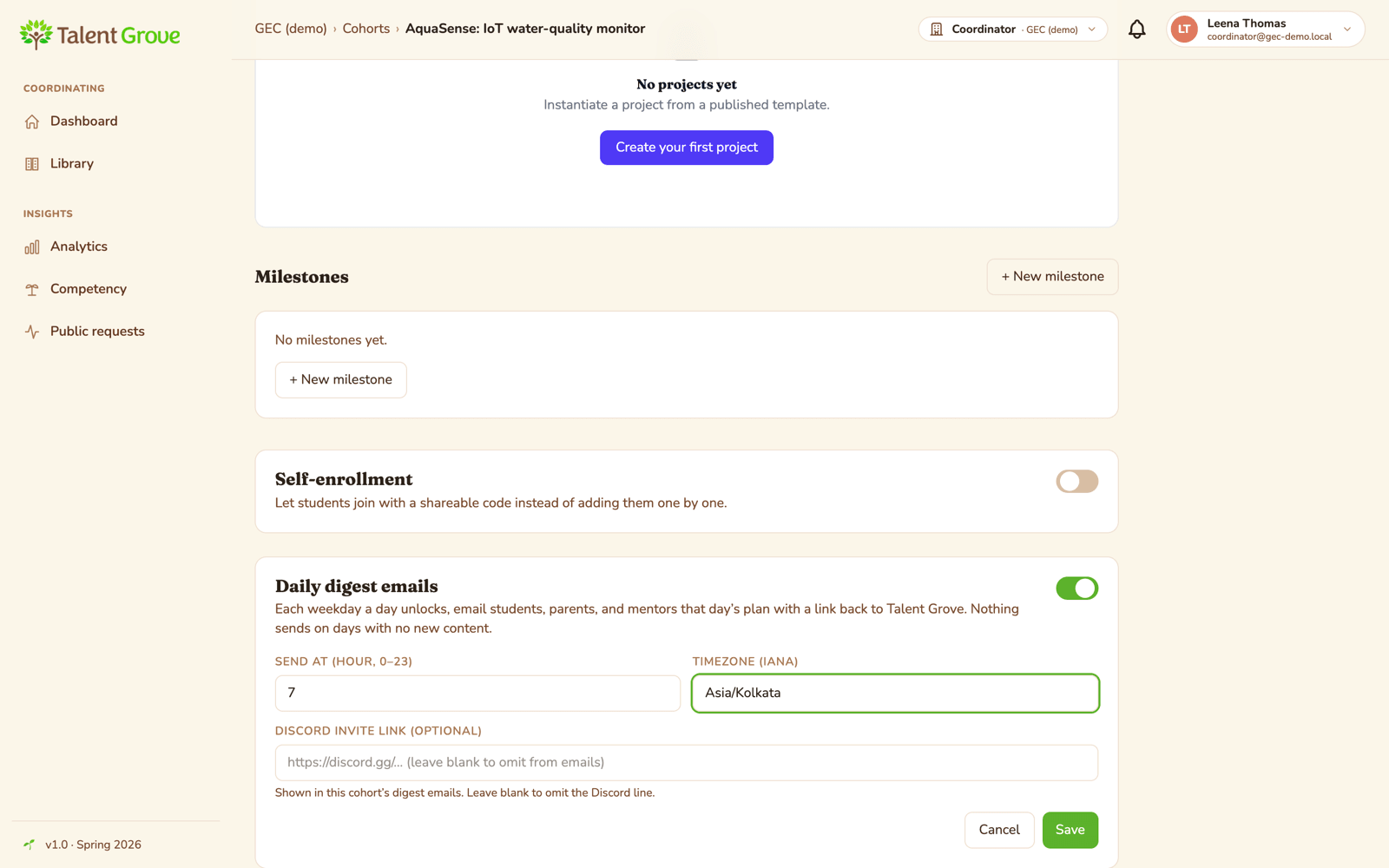
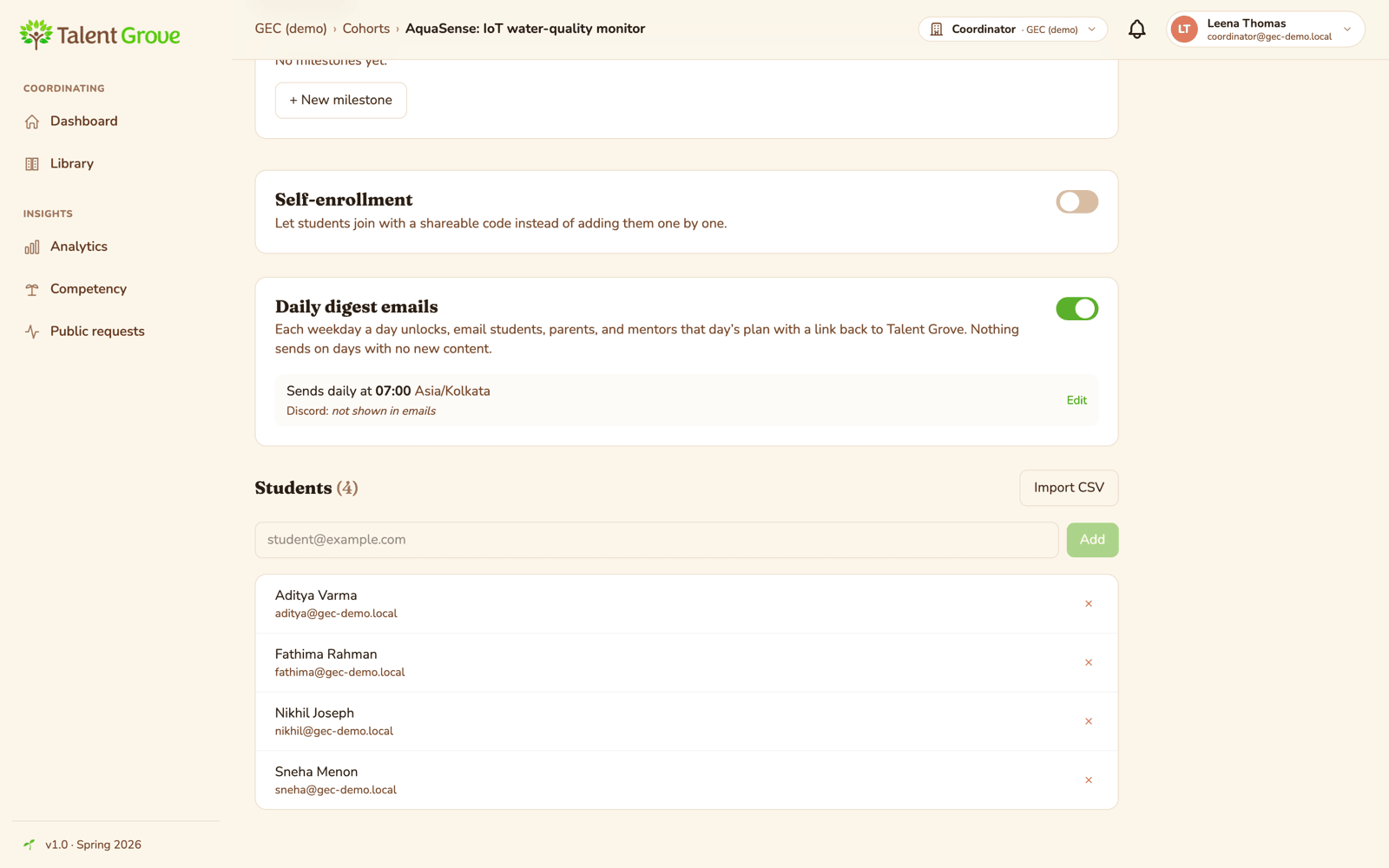
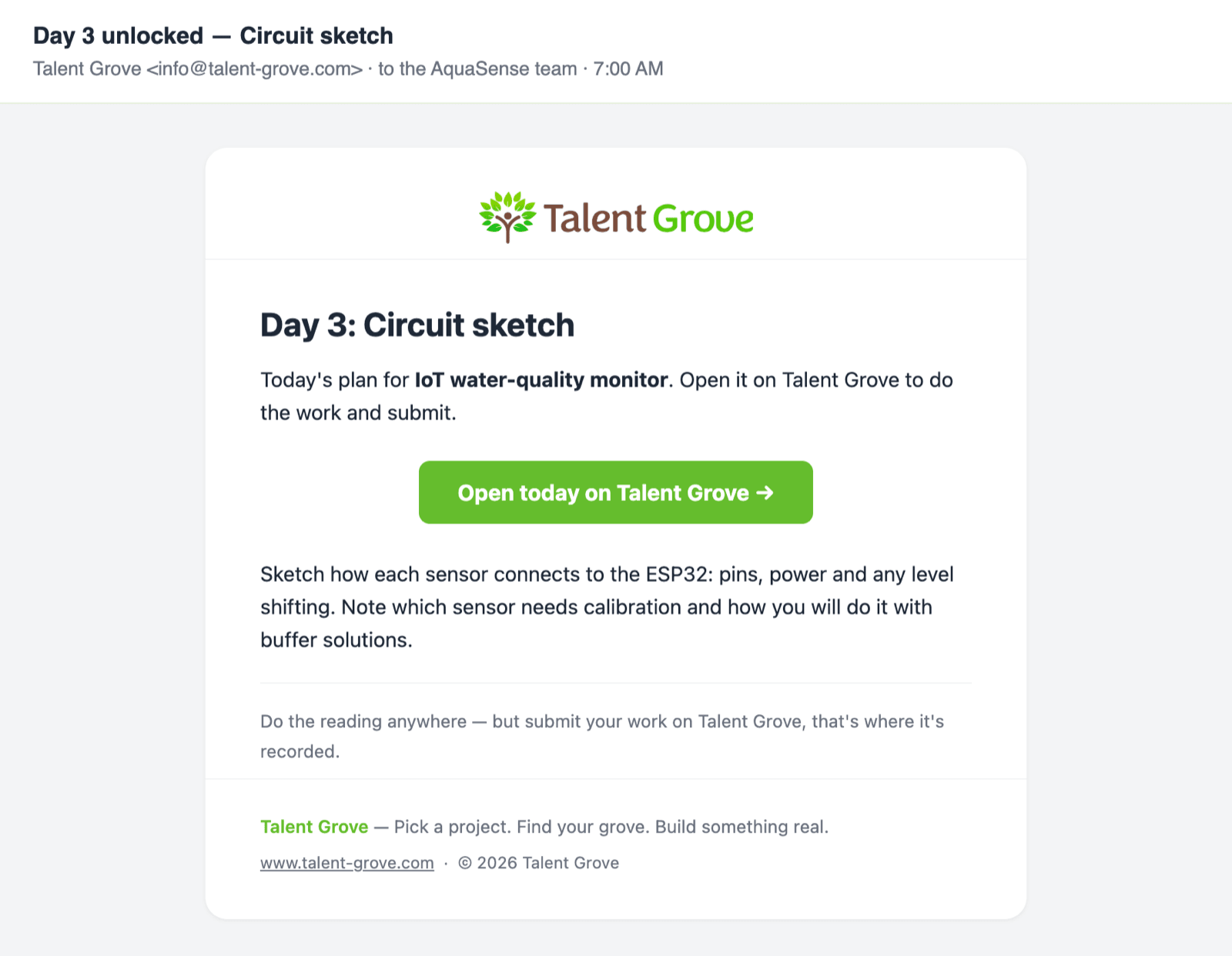
A simple way to organise it is one cohort per project, with its own dates, such as AquaSense: IoT water-quality monitor. If the team wants, the coordinator can turn on a daily email for the cohort with that day's step, sent at a time that suits Kerala (say 7 am).
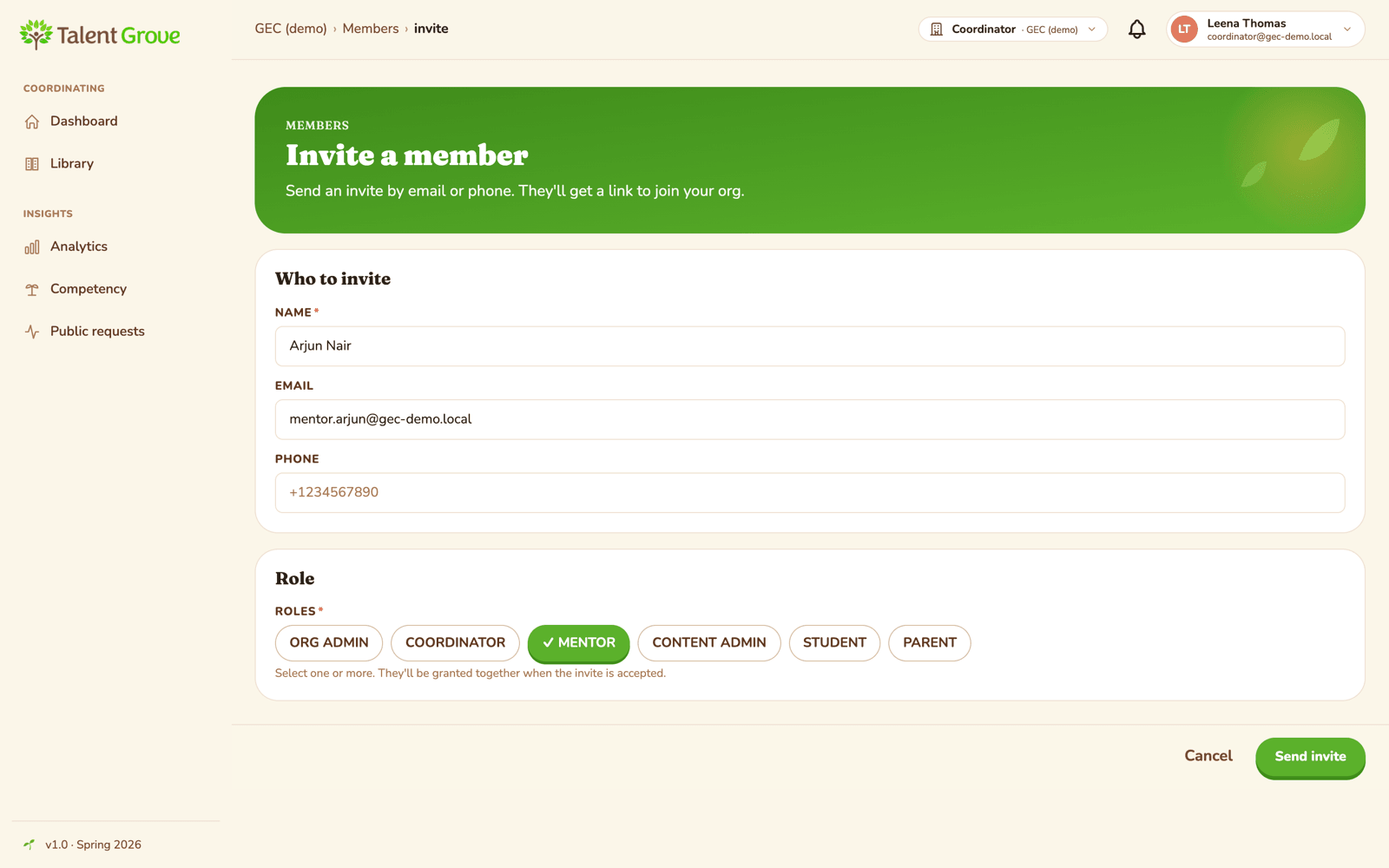
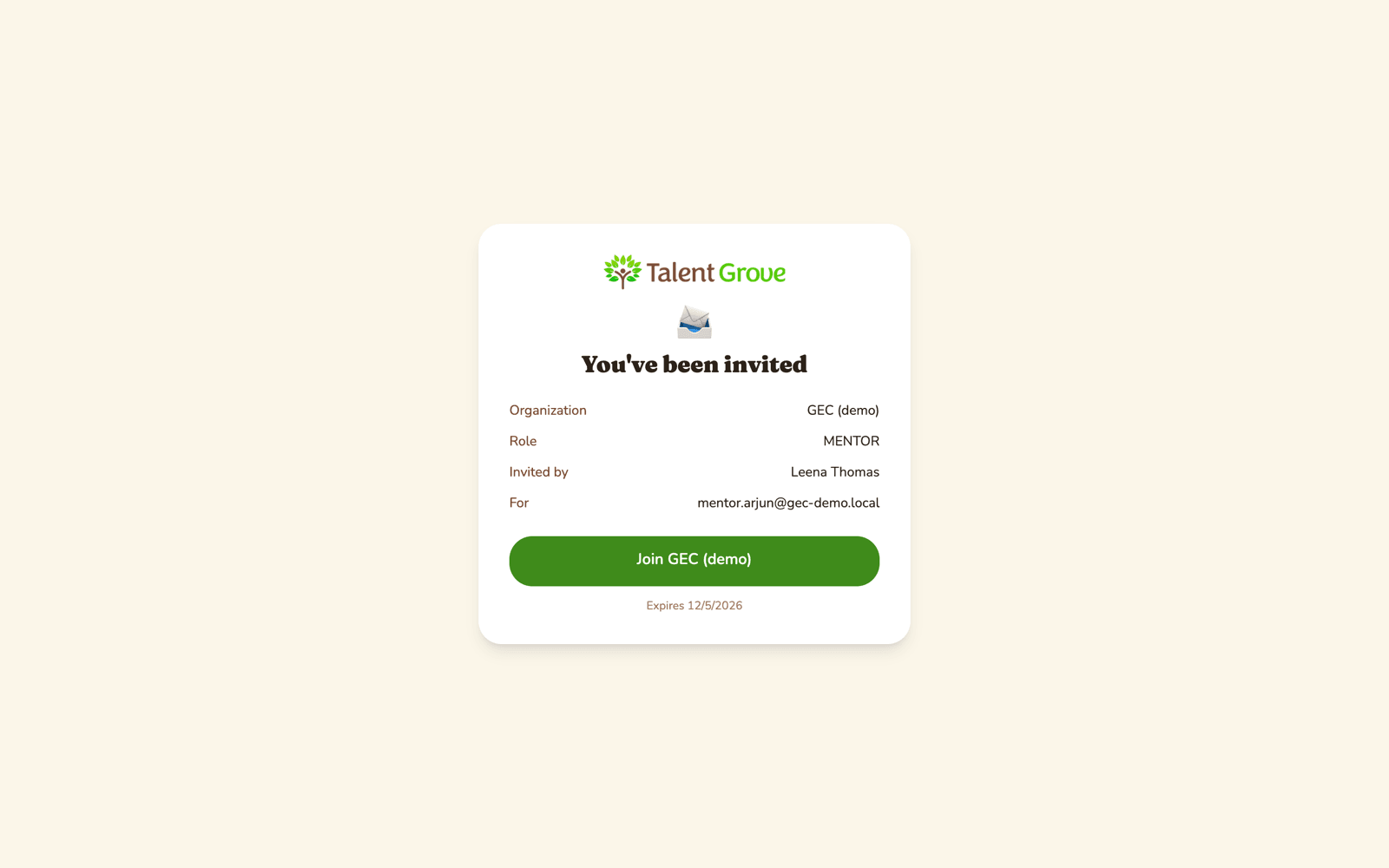
Mentors and faculty guides are invited by email with the role Mentor; they sign in and join with one click. Students are added by email, one at a time or from a CSV file.
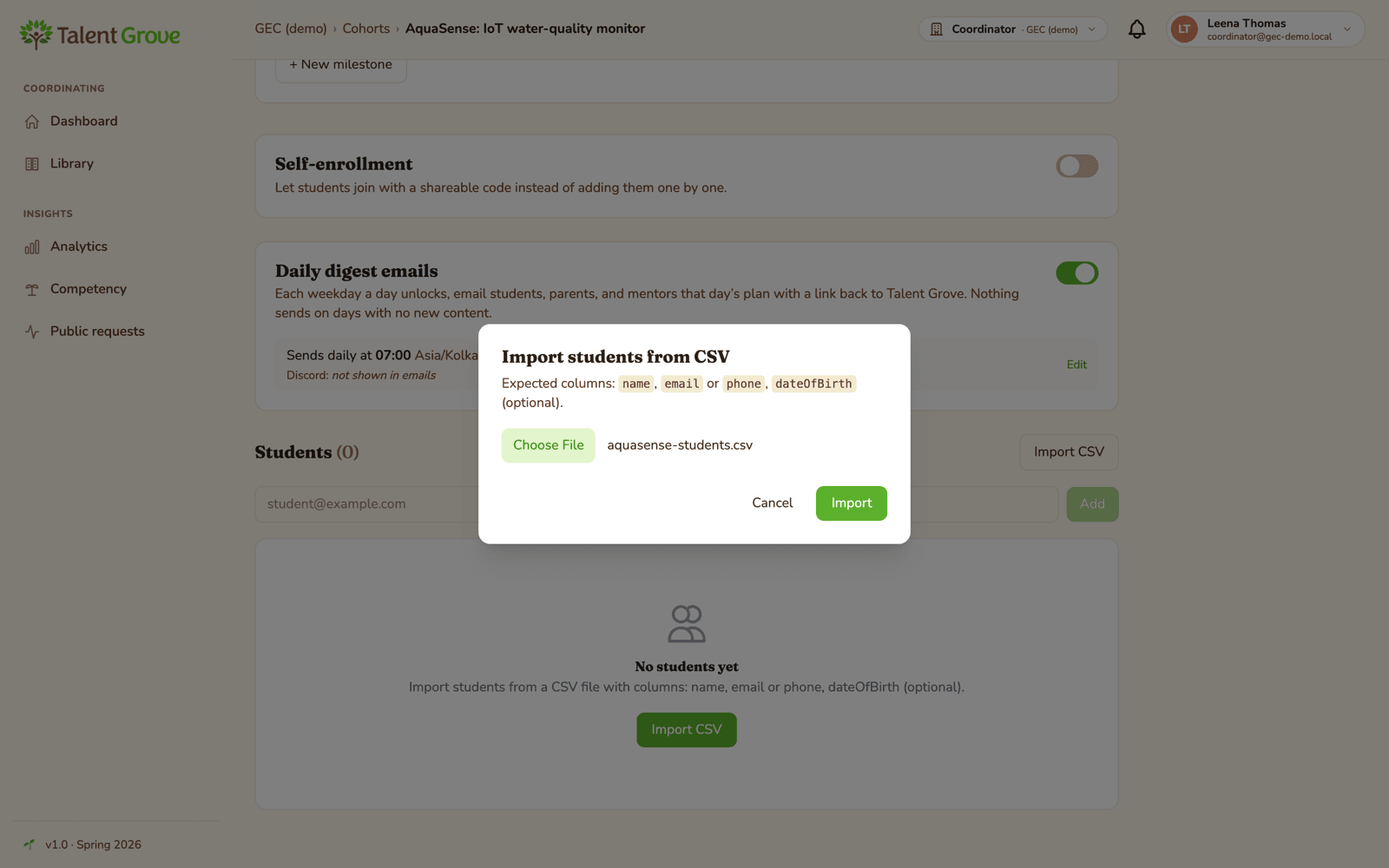
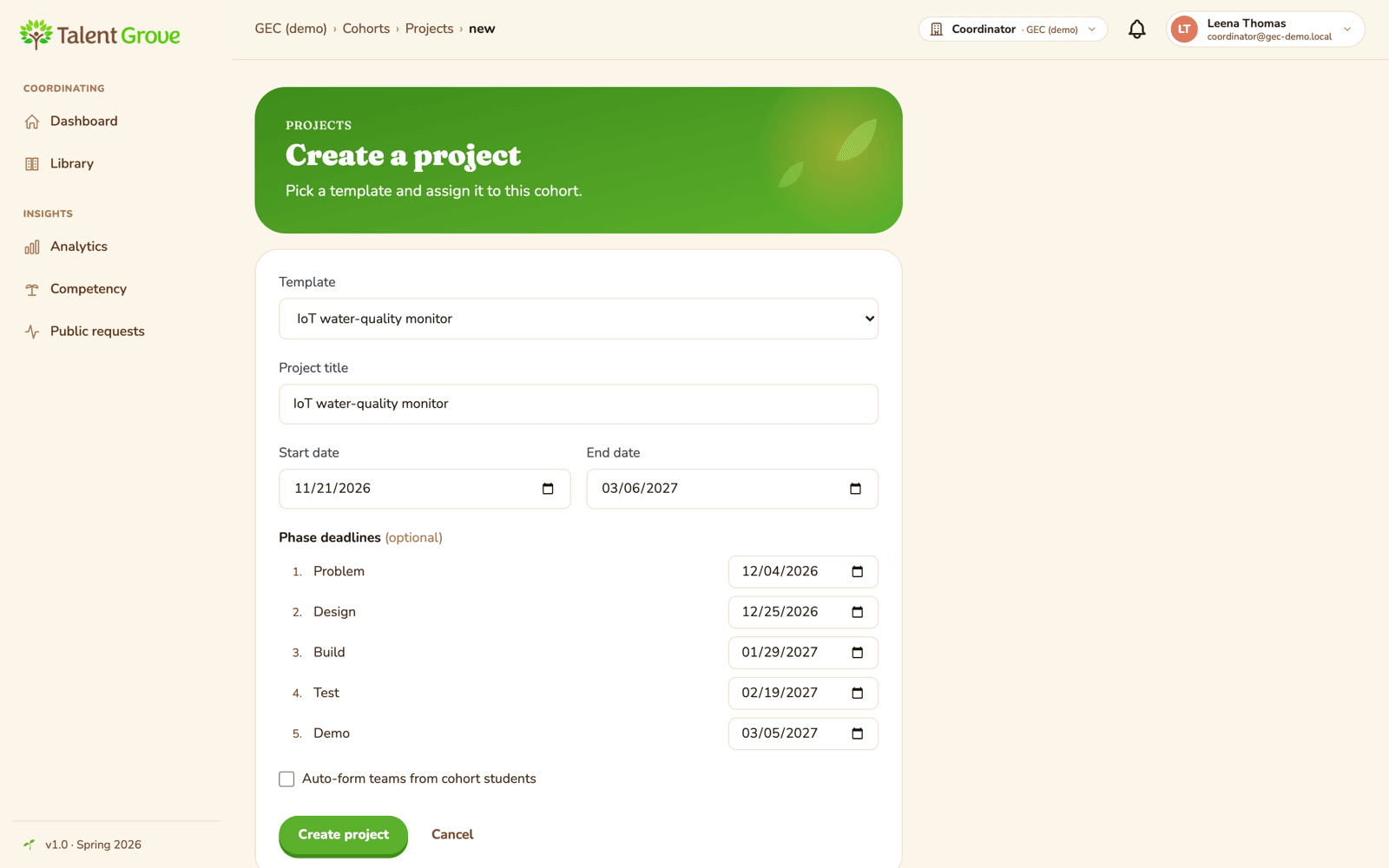
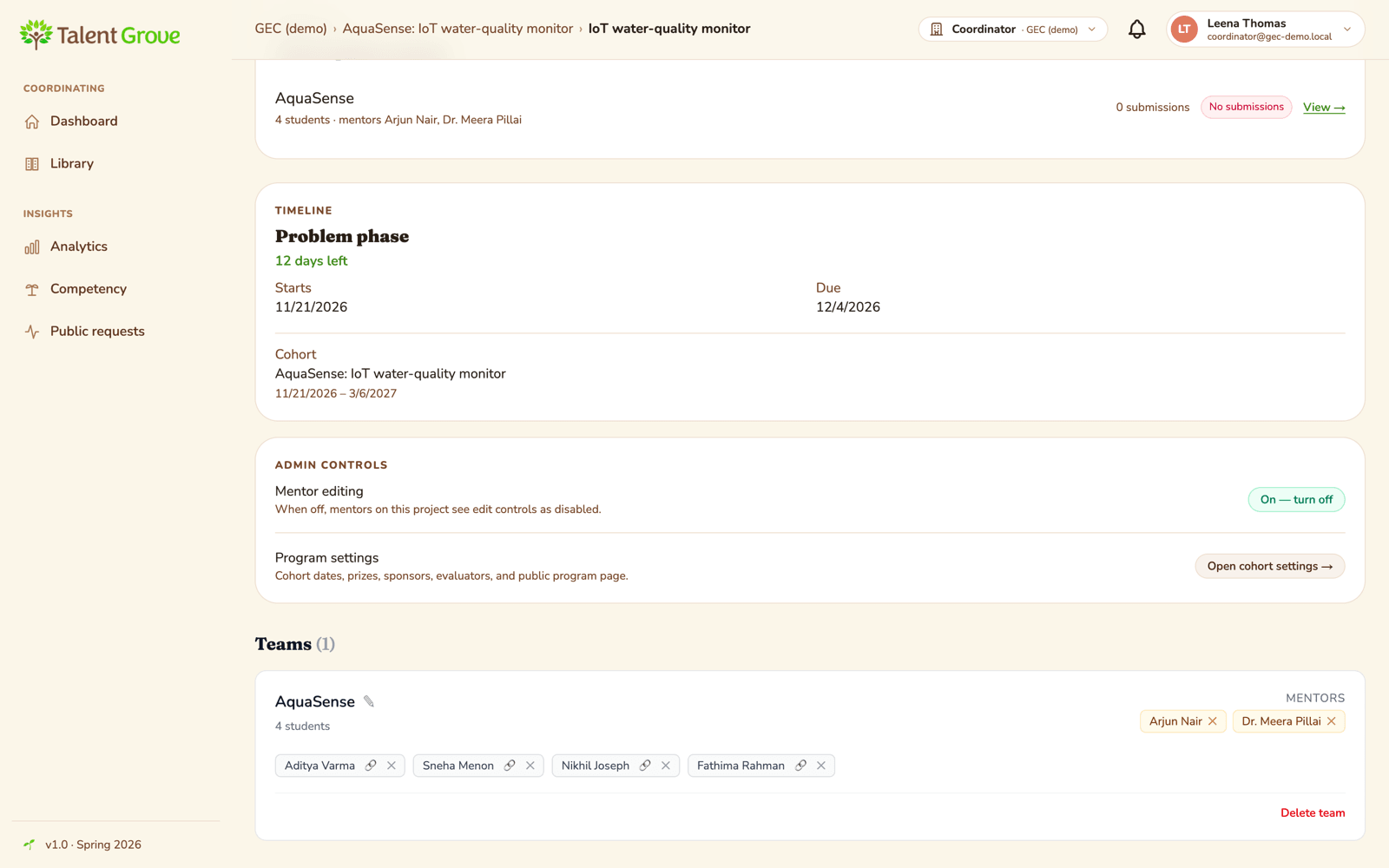
The coordinator then creates the project from its plan, picks a start date, and puts the four students and both mentors (the overseas mentor and the GEC faculty guide) on the team. A team can have several mentors, and they all see the same work. (Form teams makes teams of three, so for a team of four the coordinator moves the fourth student in by hand.)
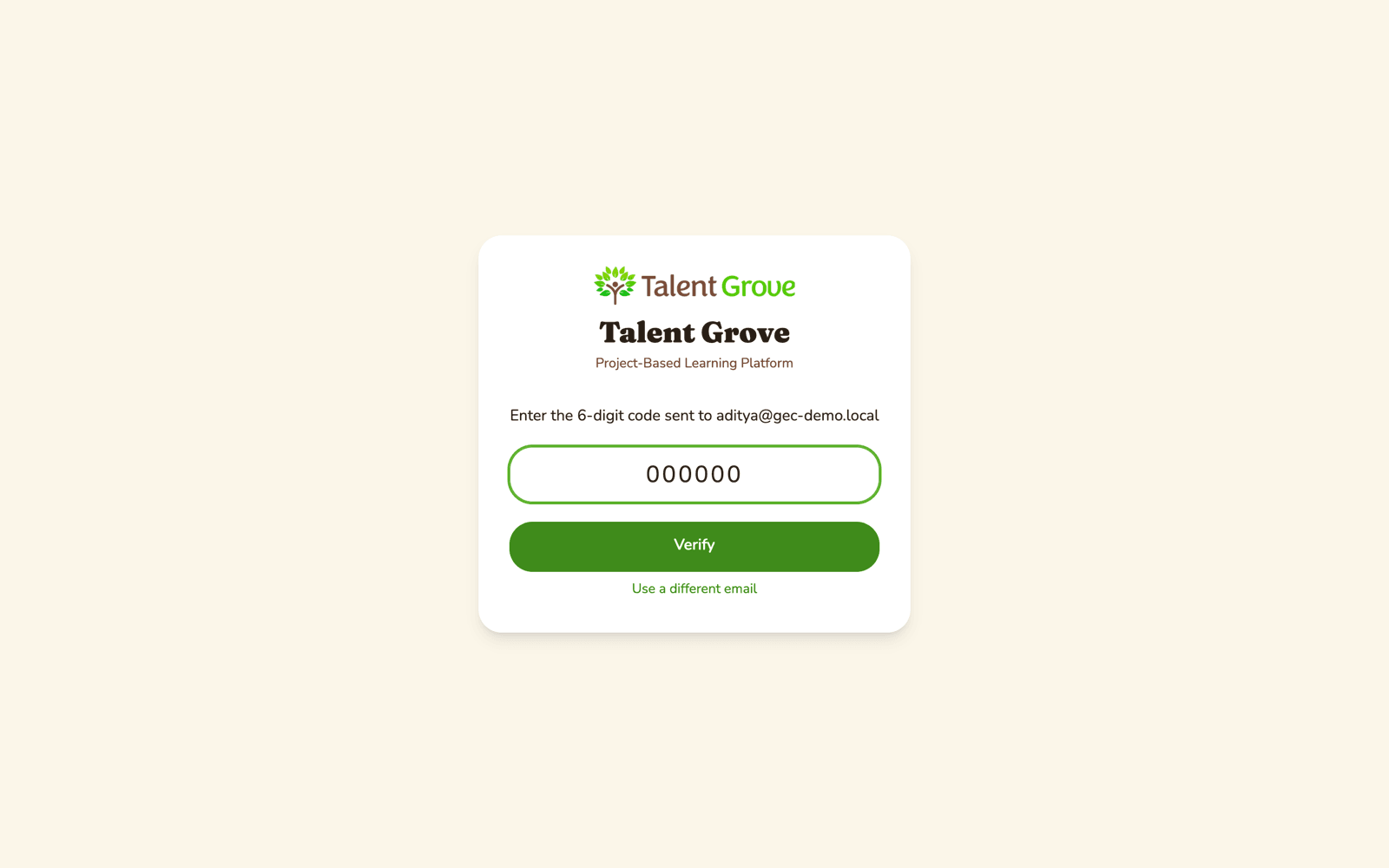
Everyone signs in with their email and a one-time code, with no passwords. College students join as adults, so there is no parental-consent step.
Part B: the project in motion
The students drive
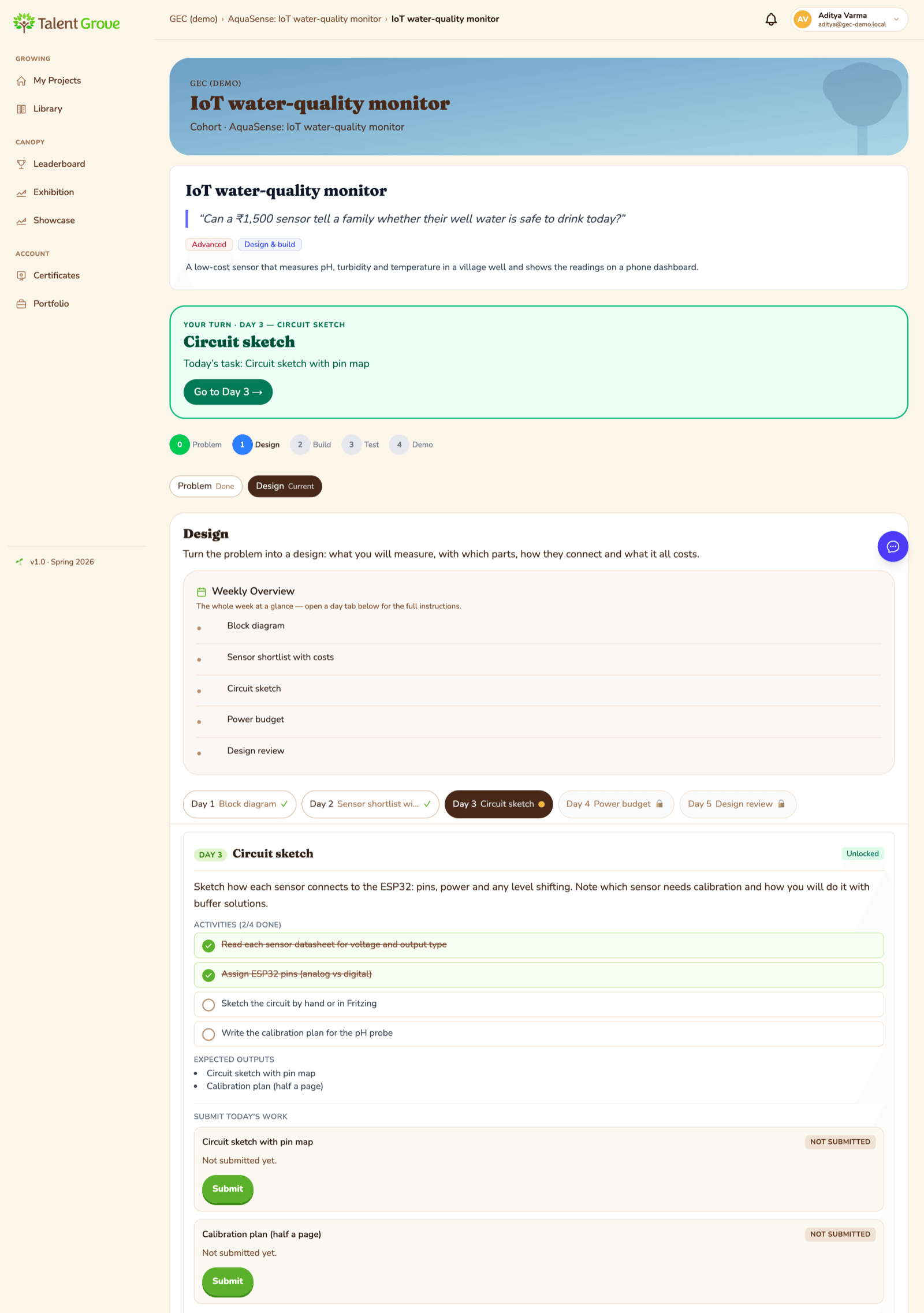
The students see their plan and the step they are on, tick off what they have done, and share their work as they go: notes, photos, files, or links to a code repo or a demo video. The plan is theirs to work through at their own pace. If the project changes direction, as real projects do, the mentor can adjust the plan for that team without affecting anyone else.
Mentors guide, in their own time
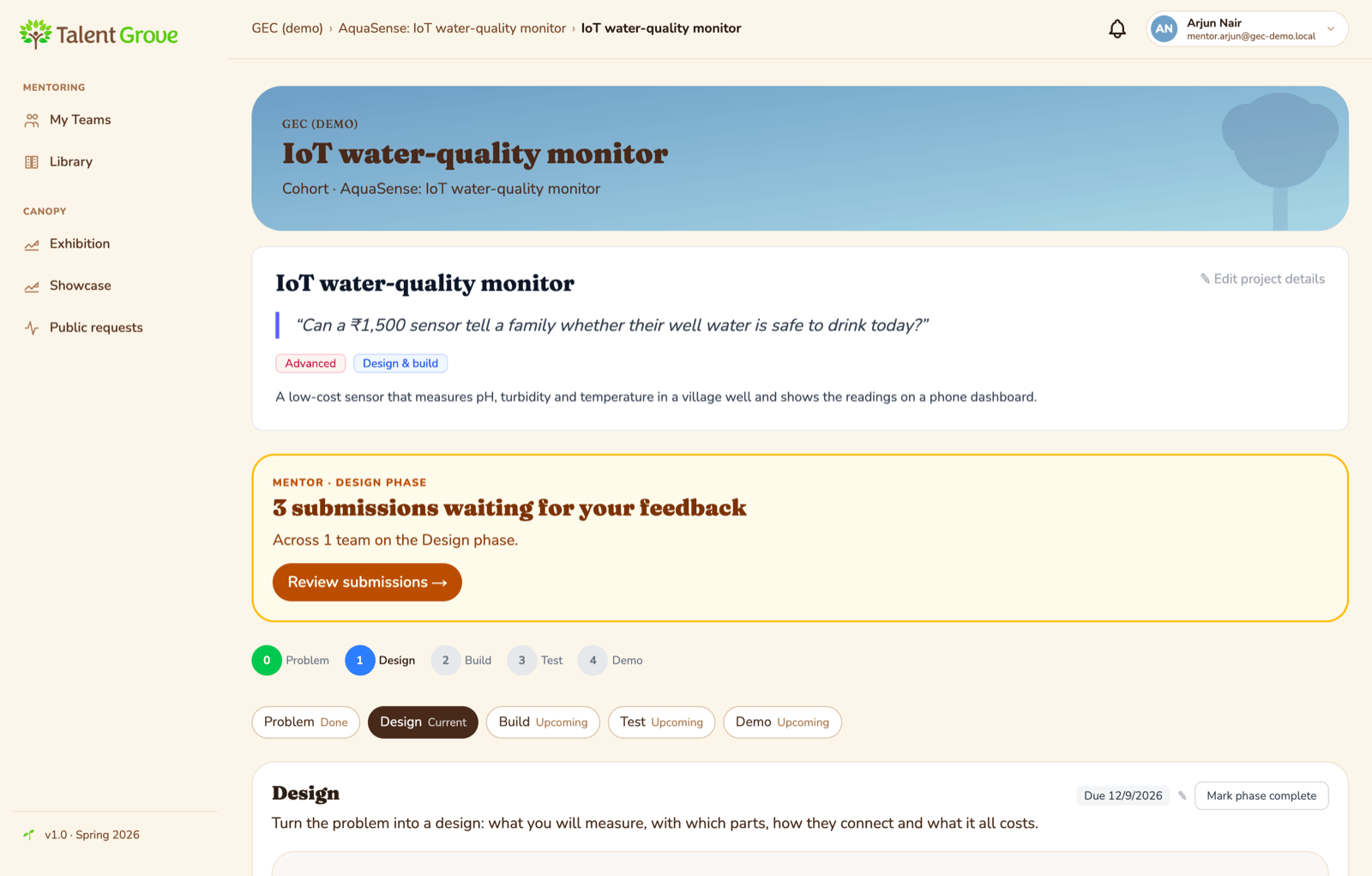
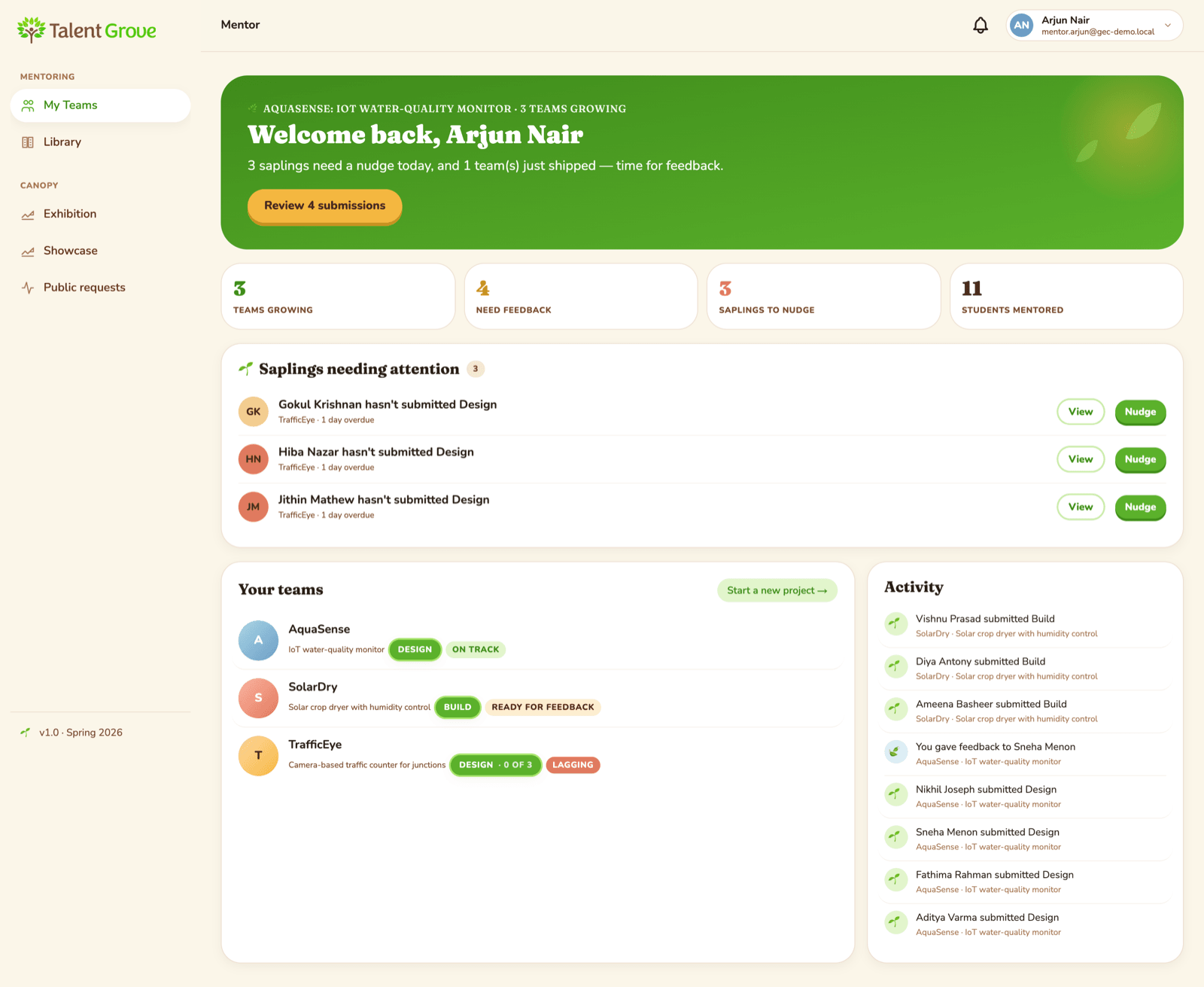
Mentors look in whenever suits them: some every day for a few minutes, some once a week, some at the end of each stage. When they do, everything the team has shared is in one place. A mentor replies with guidance (a question, a pointer, a story from industry) and can suggest another pass at a piece of work if it needs one.
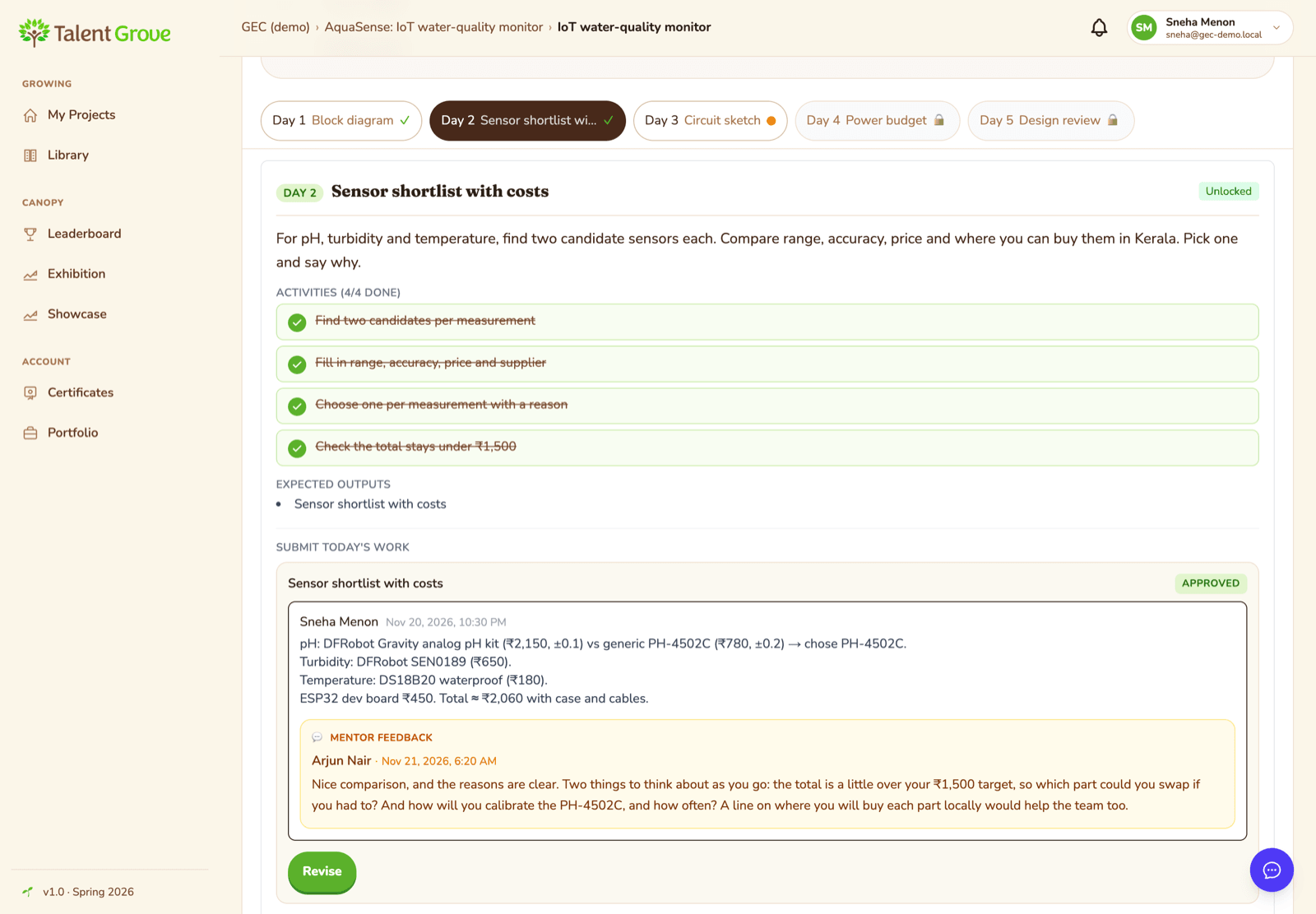
The mentor's dashboard gives a quick picture across their teams: who has shared something new, who has gone quiet, and what is coming up. A short nudge to a student or the whole team is one click away.
If the cohort's daily email is on, mentors get the same note as the students, so they know what the team is working on without logging in.
When a live conversation helps (a design review, say, or a demo rehearsal), a mentor can schedule a Google Meet from the team page, as often or as rarely as the team needs.

A thinking partner at 11 pm
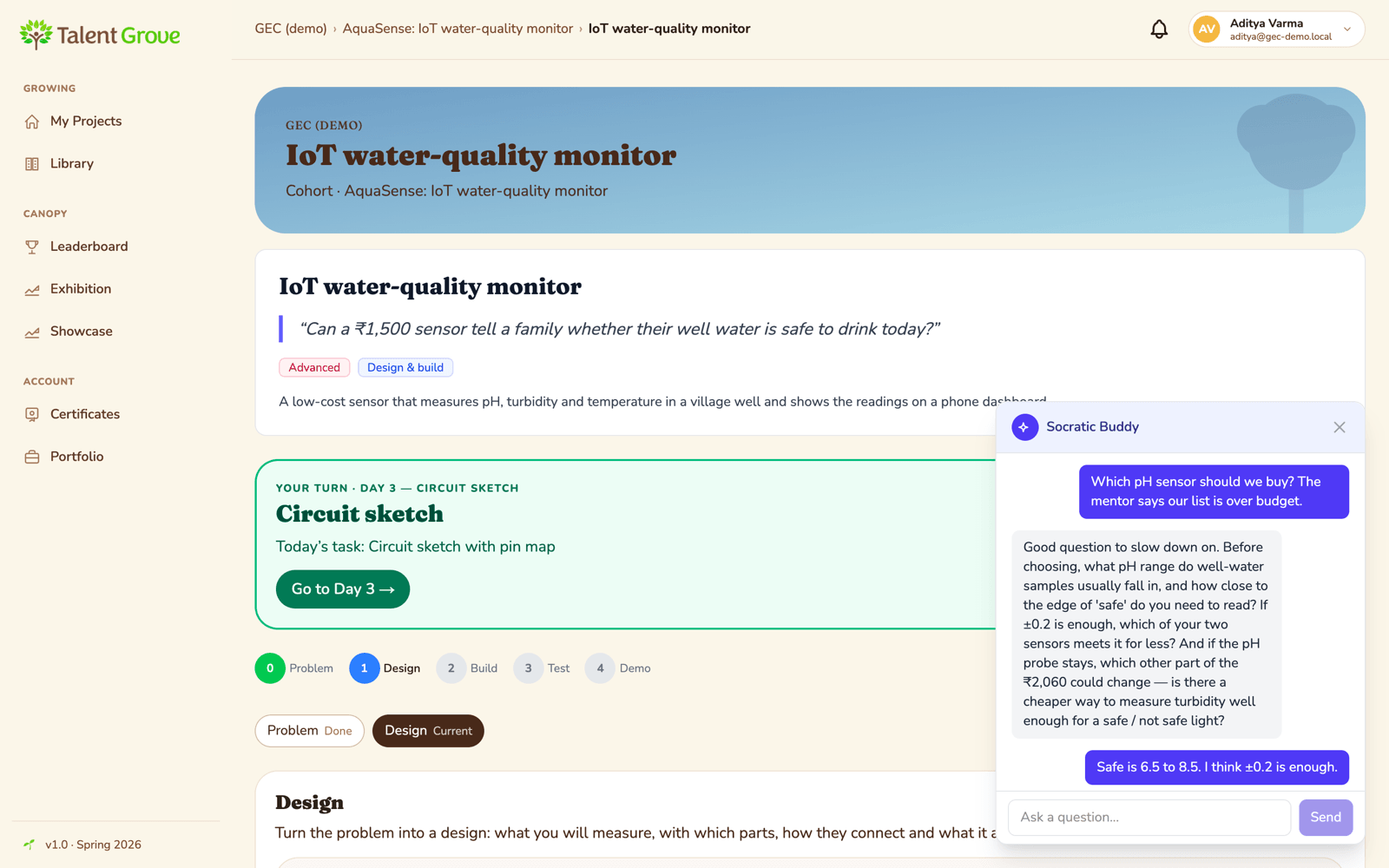
Students often get stuck when no mentor is awake. Talent Grove has a Socratic AI buddy inside the project that replies with questions and hints rather than answers, so the students still do the thinking. Mentors can also ask an AI helper for a first draft of a reply, which they edit before sending. (AI features are switched on for each organisation.)
Assessment stays with the college
The faculty guide is on the team all along, so they see the work and the mentor's guidance as it happens and can add the college's view (what it expects in the report and the final review).
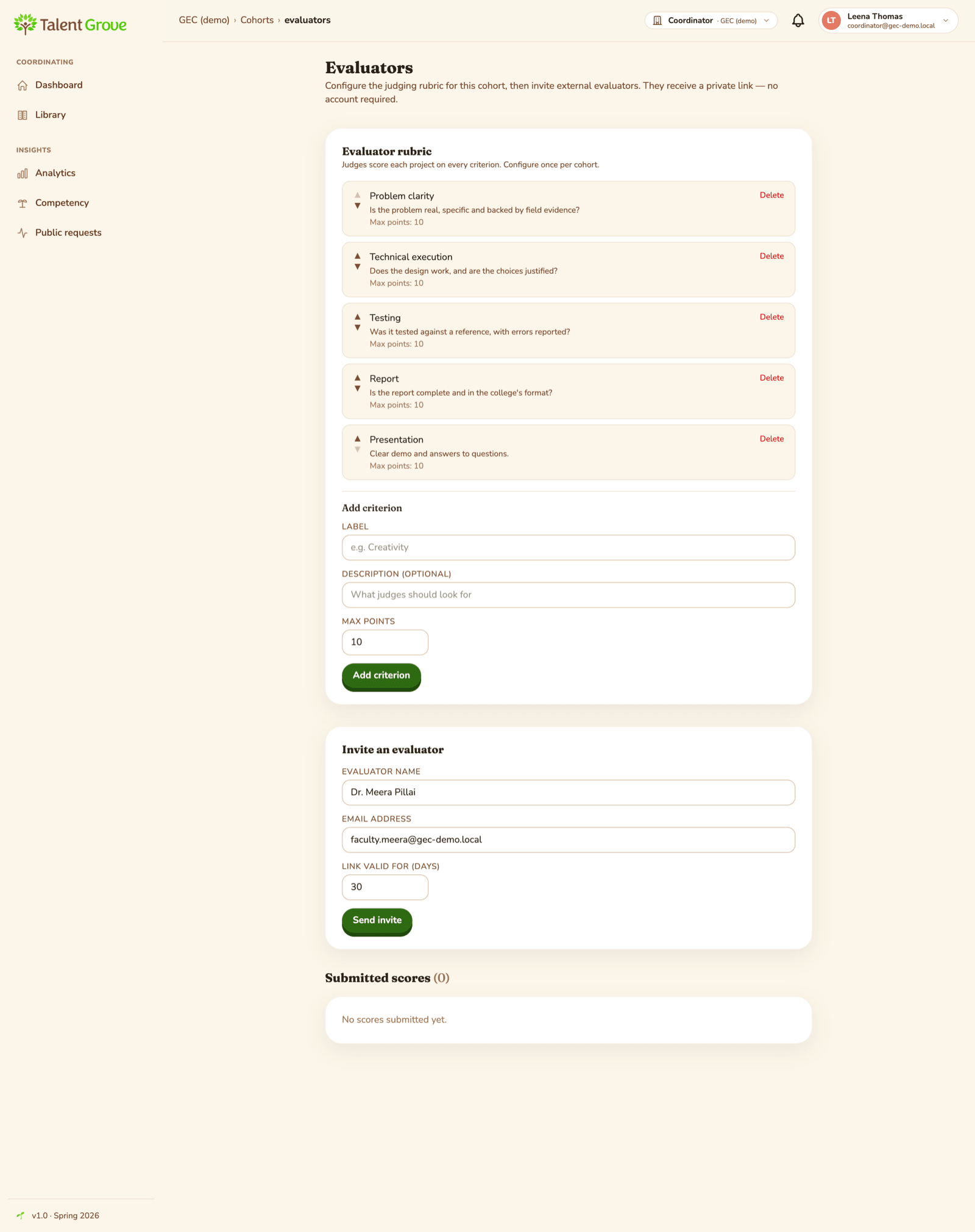
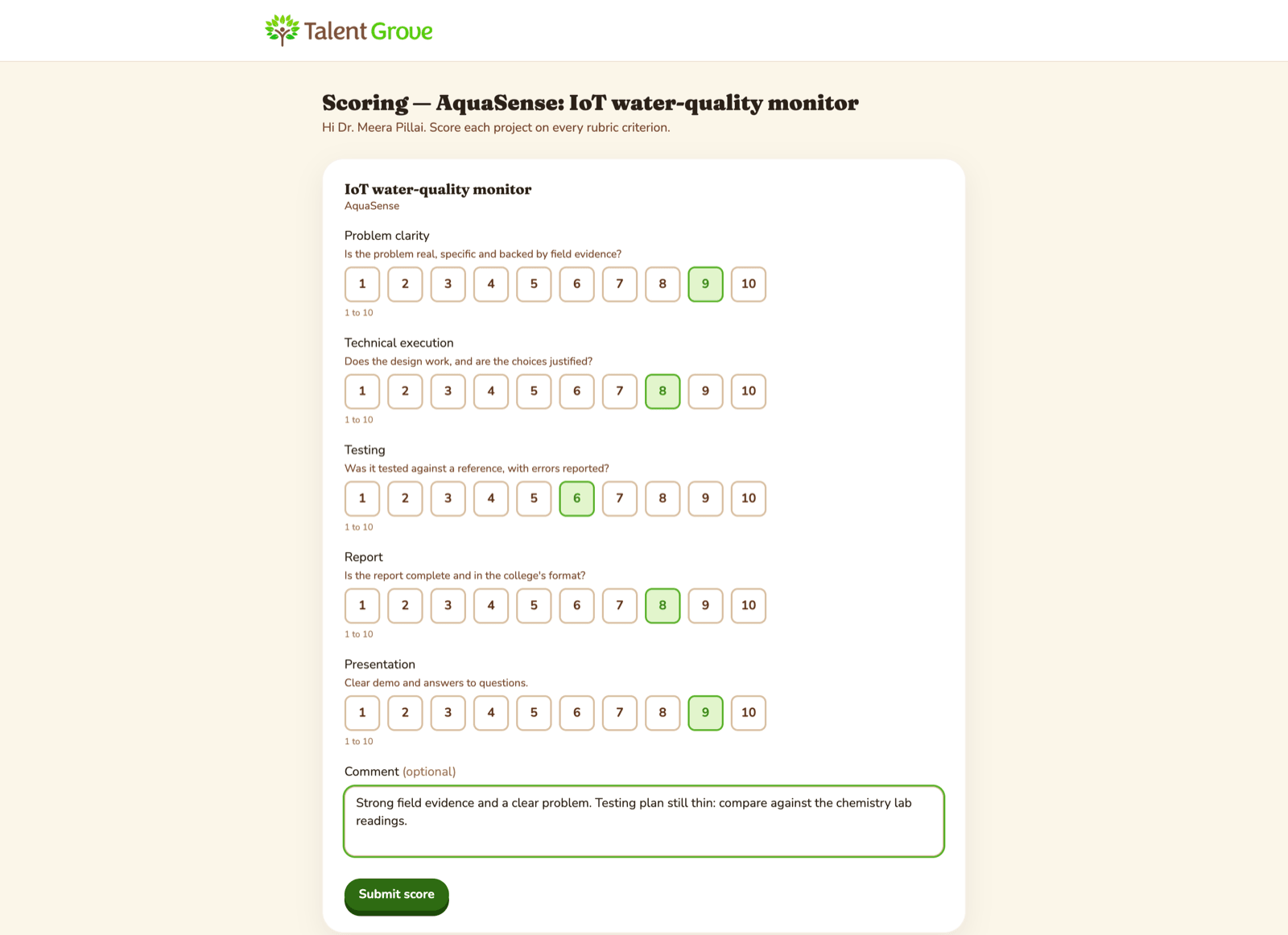
When it is time to assess (a mid-way review, the final evaluation or a demo day), GEC uses its own criteria. The coordinator enters them as a rubric and sends the faculty guide, or any examiner, a private evaluator link. Evaluators need no account, and GEC sees all the scores in one place. Mentors are there to guide; marks are GEC's call.
The finish
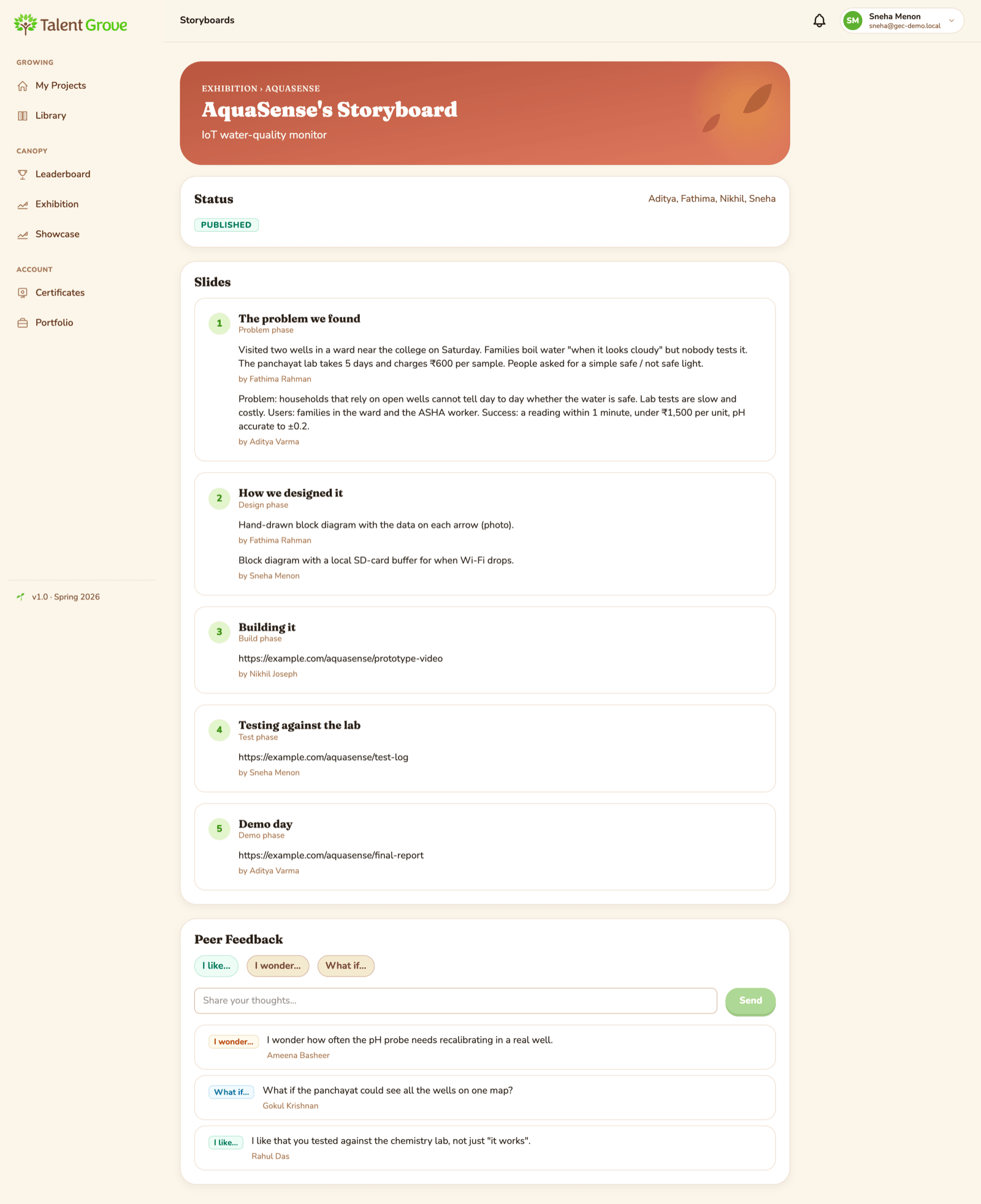
- The team tells its story. A storyboard is drafted from the team's own work; the students edit it and publish it to the exhibition, where classmates leave "I like / I wonder / What if" comments.
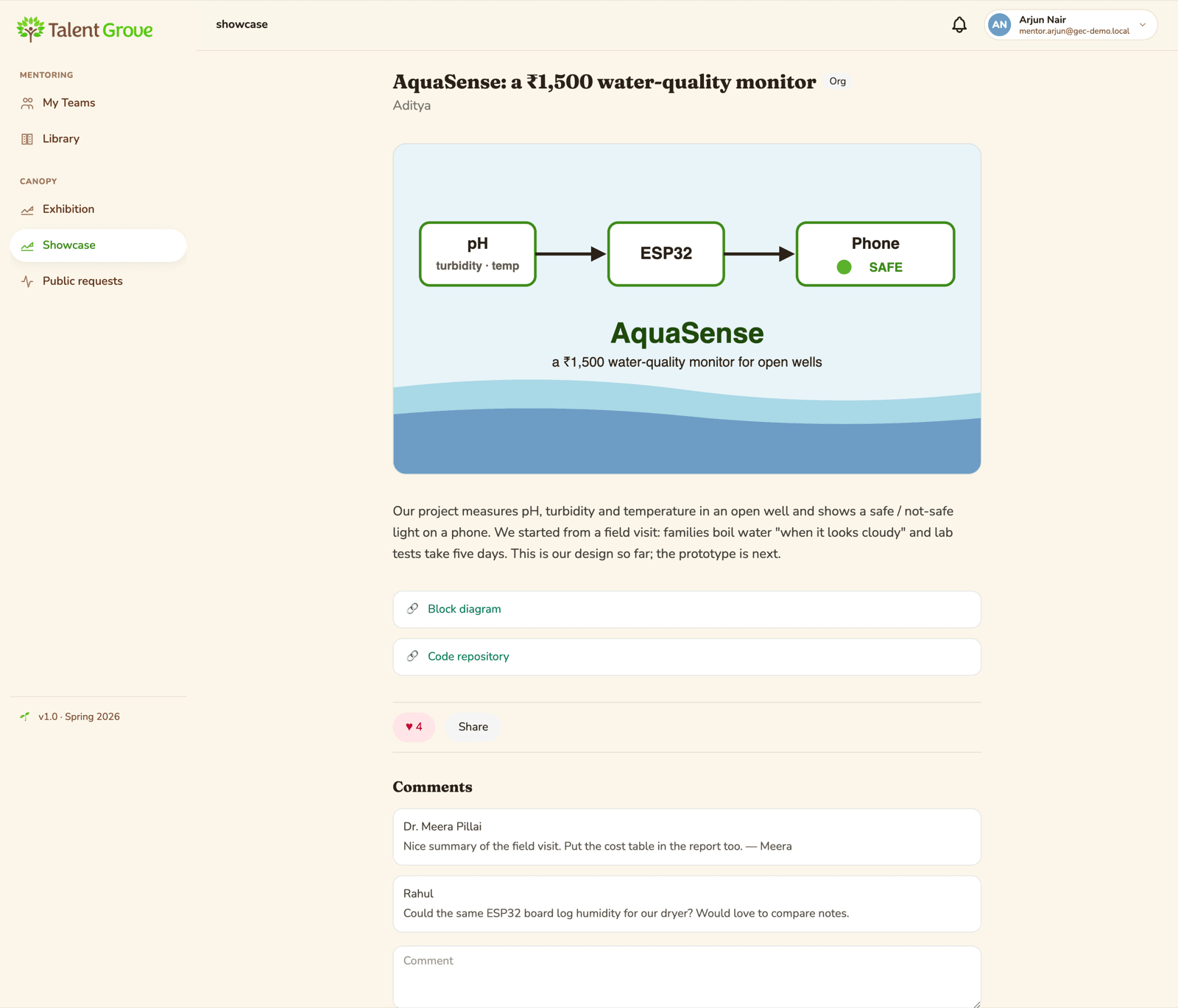
- The showcase. Students can share their best work with the cohort or the college, or publicly once a coordinator approves it.
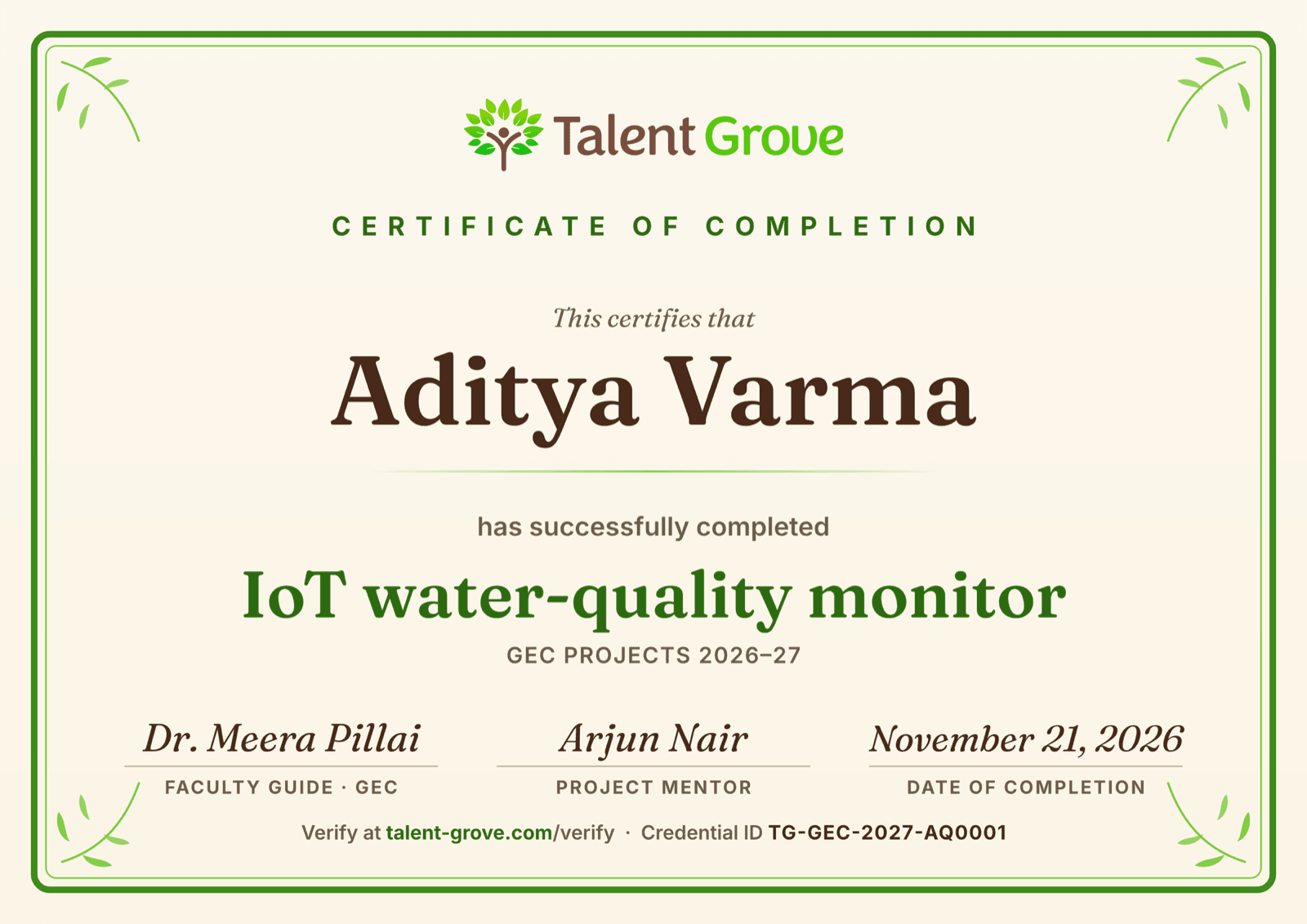
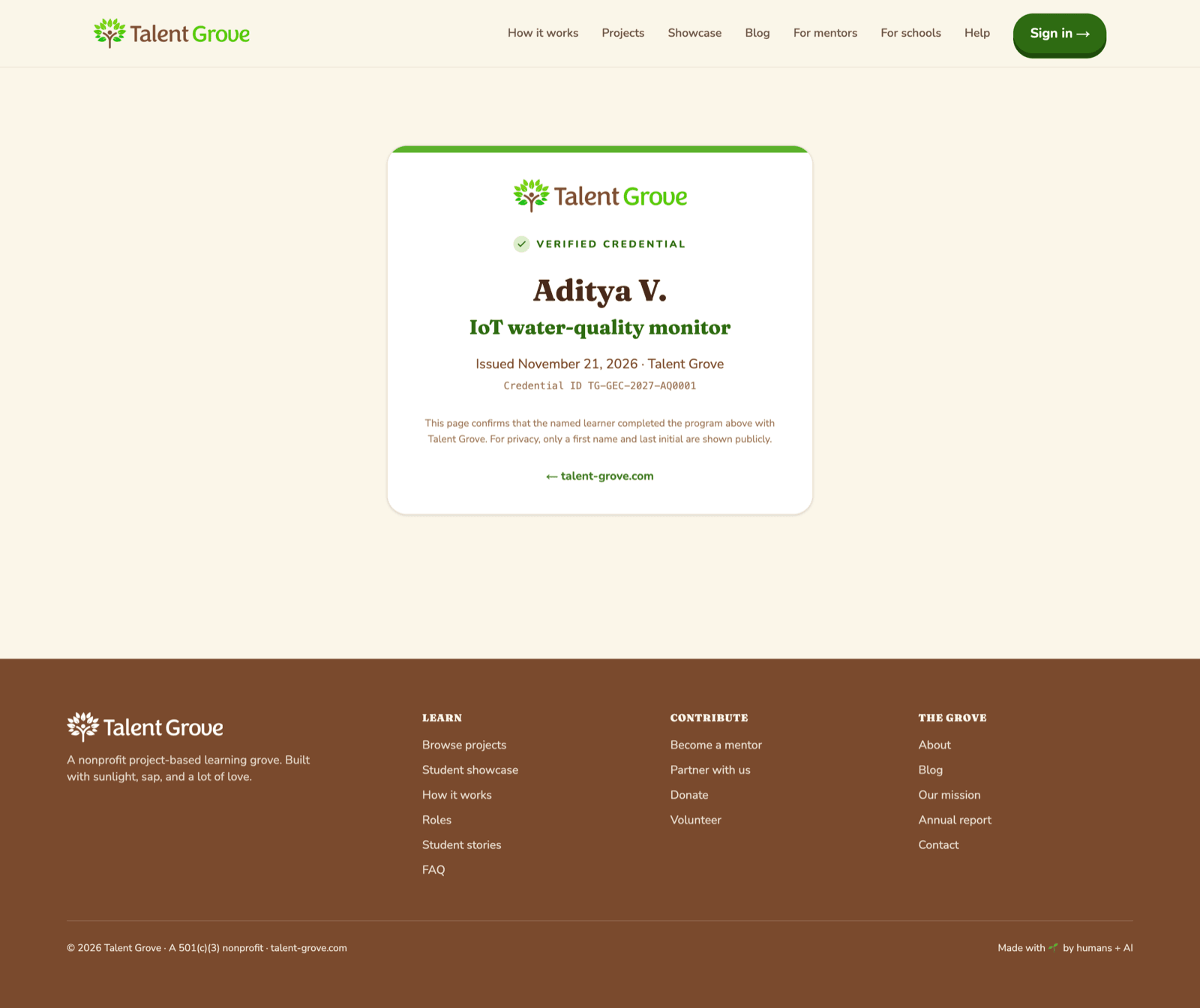
- GEC's certificate. Each student receives a certificate issued under GEC's program, with GEC's program line and signatories and the project's name. Talent Grove produces it and hosts a verification page that anyone can check, which shows only the student's first name and last initial. Students can download it or add it to LinkedIn.
Recognition for mentors
Mentoring takes time, and it should count. On Talent Grove, mentors earn points for the guidance they give, and badges where the college has them switched on. GEC can add its own recognition for mentors too, if it wishes.
Finding your rhythm as a mentor
There is no set routine. A few patterns that work:
- Light touch: look in once a week, reply to what is new, nudge anyone who has gone quiet.
- Close by: a few minutes most days, often with the morning email.
- Stage by stage: a deeper review at the end of each stage, with a call if the team wants one.
Mix them, change them as the project goes, and agree with your team what they can expect from you.
A few things that help
- Questions teach more than corrections. "How will you calibrate the pH probe?" does more than "Calibrate the pH probe."
- Let the students make the decisions; it is their project.
- Leave the college side (format, reviews, marks) to the faculty guide, and bring the industry side yourself. The students get both.
Try it with your projects
If you are a college, a faculty guide or a mentor and would like to try this with one or two projects, Talent Grove sets up the organisation and program and helps write the first project plans; you bring the project and the team. Write to info@talent-grove.com.